Ultimate Guide to Creating a Custom Wedding Guest Book with KDP Interior Templates
Introduction to Wedding Guest Books
A wedding guest book is a cherished keepsake that captures the memories and well-wishes of your guests on your special day. It serves as a beautiful reminder of the love and support from friends and family, making it an essential part of any wedding celebration.
Why Choose a Customizable Wedding Guest Book?
Customizing your wedding guest book allows you to add a personal touch, reflecting your unique style and the theme of your wedding. With the right tools and templates, you can create a guest book that not only looks professional but also stands out as a meaningful memento.
Understanding KDP Interior Templates for Wedding Guest Books
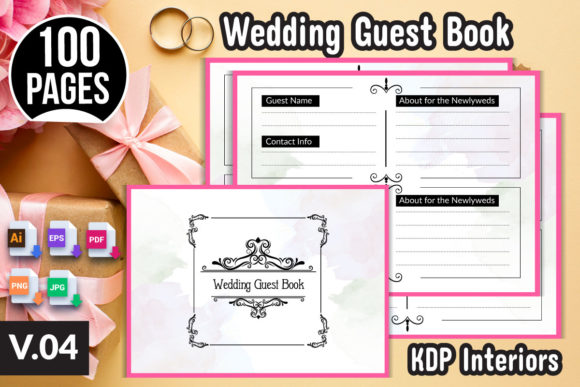
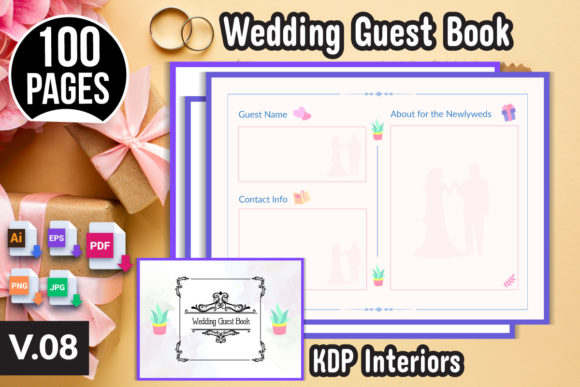
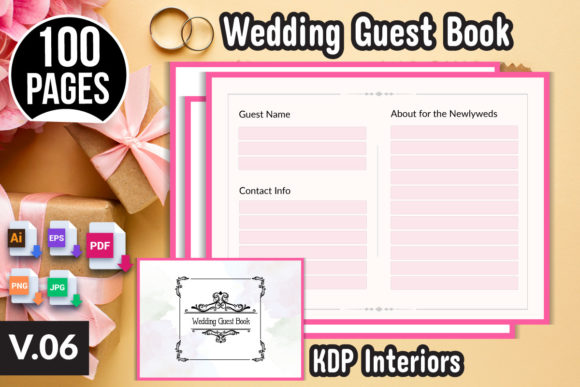
KDP (Kindle Direct Publishing) offers a platform for self-publishing, including print-on-demand services. The KDP Interior templates are designed to help you create high-quality, print-ready files for your wedding guest book. These templates are fully editable, allowing you to customize colors, fonts, and designs to match your wedding theme.
Key Features of the KDP Interior Templates
- Fully Editable: Customize every aspect of the design, from colors and fonts to layout and content.
- Print-Ready Files: Includes AI, EPS, PDF, PNG, and JPG formats, ready for instant printing at home or through professional services.
- High Resolution: Ensures that your guest book looks sharp and professional, with dimensions of 8.25" x 6" inches.
- Amazon KDP Tested: Fully tested and compatible with the Amazon KDP platform, making it easy to list and sell your custom guest books.
How to Use the KDP Interior Templates
Using the KDP Interior templates is straightforward, even if you have limited design experience. Here’s a step-by-step guide to get you started:
- Download the ZIP File: Obtain the ZIP file containing all the necessary template files, including AI, EPS, PDF, PNG, and JPG formats.
- Unzip the File: Extract the contents of the ZIP file to access the individual template files.
- Choose Your Design Software: Open the AI or EPS files in Adobe Illustrator or a similar vector graphics editor. If you prefer, you can use the PDF, PNG, or JPG files in other design software or even word processors.
- Customize the Design: Change colors, fonts, and layouts to match your wedding theme. Add personalized elements such as names, dates, and special messages.
- Save and Export: Save your changes and export the final design in the desired format. Ensure that the resolution is set to 300 DPI for optimal print quality.
- Print and Publish: Print your guest book at home or through a professional printing service. Alternatively, upload the PDF file to the Amazon KDP platform to list and sell your custom guest book.
Benefits of Using KDP Interior Templates
Using KDP Interior templates for your wedding guest book offers several advantages:
- Time-Saving: Pre-designed templates save you time and effort, allowing you to focus on other aspects of your wedding planning.
- Professional Quality: High-resolution templates ensure that your guest book looks polished and professional.
- Versatility: Fully editable templates allow for endless customization, making it easy to match your wedding theme and personal style.
- Cost-Effective: Print at home or use print-on-demand services, reducing the need for large upfront investments in printing.
- Business Opportunity: Create and sell custom wedding guest books, expanding your creative business or side hustle.
Common Misunderstandings and Tips
Here are some common misunderstandings and tips to help you make the most of your KDP Interior templates:
- Misunderstanding 1: You Need Advanced Design Skills. Reality: The templates are designed to be user-friendly, even for those with minimal design experience. Simple changes like color and font adjustments can make a big difference.
- Misunderstanding 2: Printing Must Be Done Professionally. Reality: While professional printing is an option, you can also print at home using a high-quality printer. Just ensure the paper and ink are suitable for a guest book.
- Tip 1: Test Prints Are Essential. Before finalizing your design, do a test print to check for any issues and make necessary adjustments.
- Tip 2: Keep It Simple and Elegant. A clean, simple design often works best for wedding guest books. Avoid overcomplicating the layout to keep the focus on the well-wishes and signatures.
Conclusion
Creating a custom wedding guest book with KDP Interior templates is a rewarding and creative endeavor. Whether you are a bride-to-be, a wedding planner, or a creative entrepreneur, these templates provide a flexible and professional solution to capture the memories of your special day. With the ability to customize every aspect of the design, you can create a guest book that perfectly complements your wedding theme and becomes a treasured keepsake for years to come.
Start your journey by downloading the KDP Interior templates and bring your vision to life. Happy designing!